Illustrator 8 Bible"A Thorough Source of Information" |
||
Click on a thumbnail to enlarge it. Use your browser's "BACK" button to return to this review when done. |
||
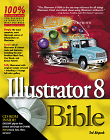
| Title: Illustrator 8 Bible Author: Ted Alspach Publisher: IDG Books http://www.idgbooks.com Publication Date: January 1999 Pages: 775 ISBN: 0-7645-3269-3 Price: $49.99 |
||
 |
||
 IDG
Books, Illustrator 8 Bible, by Ted Alspach is a complete source of
information on Illustrator 8 for either Windows or Macintosh users. It
includes everything you wanted to know about the program, from learning
the basics of drawing to creating special effects with vectors and rasters.
There is step-by-step instruction combined with explanations of features,
techniques, and technology. Original artwork was used to illustrate the
techniques and capabilities of Illustrator, and instead of using screen
shots, each path was drawn in Illustrator. Since filters and plug-ins
are an integral part of Illustrator, the author has devoted an entire
section of the book to covering native filters and third-party plug-ins
such as Extensis VectorTools, plus there is a section on how you can make
your own plug-ins. The CD-ROM that comes with the book contains Illustrator
artwork from this book, as well as several software and plug-in demo files.
In addition, Doodle Jr. and VectorFrame are included free. There are also
plug-ins from Adobe. You can tell by the funny and conversational style
of the book that the author loves his subject: Illustrator and vector
art. Along with various tips and techniques, you get what he calls his
"many bad puns and terrible jokes," but they make the book entertaining
and enjoyable as well as informative, which most computer writers seem
to be incapable of doing. He also knows his subject well and has a background
in all areas of graphics and desktop publishing. He has written other
books such as Macworld Illustrator 7 Bible, Official Kai's Power Tools
Studio Secrets, and Illustrator Studio Secrets. See the IDG Books Web
site for information on other books they publish: http://www.idgbooks.com IDG
Books, Illustrator 8 Bible, by Ted Alspach is a complete source of
information on Illustrator 8 for either Windows or Macintosh users. It
includes everything you wanted to know about the program, from learning
the basics of drawing to creating special effects with vectors and rasters.
There is step-by-step instruction combined with explanations of features,
techniques, and technology. Original artwork was used to illustrate the
techniques and capabilities of Illustrator, and instead of using screen
shots, each path was drawn in Illustrator. Since filters and plug-ins
are an integral part of Illustrator, the author has devoted an entire
section of the book to covering native filters and third-party plug-ins
such as Extensis VectorTools, plus there is a section on how you can make
your own plug-ins. The CD-ROM that comes with the book contains Illustrator
artwork from this book, as well as several software and plug-in demo files.
In addition, Doodle Jr. and VectorFrame are included free. There are also
plug-ins from Adobe. You can tell by the funny and conversational style
of the book that the author loves his subject: Illustrator and vector
art. Along with various tips and techniques, you get what he calls his
"many bad puns and terrible jokes," but they make the book entertaining
and enjoyable as well as informative, which most computer writers seem
to be incapable of doing. He also knows his subject well and has a background
in all areas of graphics and desktop publishing. He has written other
books such as Macworld Illustrator 7 Bible, Official Kai's Power Tools
Studio Secrets, and Illustrator Studio Secrets. See the IDG Books Web
site for information on other books they publish: http://www.idgbooks.com |
||
 |
||
| Beginning, Intermediate and Advanced computer users. The book is designed and written for anyone interested in Illustrator. It's easy to read style is great for beginners, but it's completeness makes it perfect for professionals. | ||
 |
||
| Illustrator 8 Bible is well organized, and it is easy to
find just the information you want. You can just look up what you are
interested in or slowly work your way through the entire book. Each chapter
builds on the previous chapter. The book is organized into four parts,
plus appendixes: Part I: Introducing Illustrator--Chapters 1 through 6 help you get a handle on points and paths. You learn how to color objects; how to delete the objects when you don't like their color; how to work with grids and guides; tracing in Illustrator; and how to customize Illustrator to work better and faster. Part II: Putting Illustrator to Work--Chapters 7 through 11 describe how to work with type and how to fine-tune those paths you learned about in Part I. This part also contains some advanced features such as compound paths, masks, blends, gradients, patterns, and graphs. Part III: Filters and Plug-ins--Chapters 12 through 15 help you learn how to distort and color objects using the native Illustrator filters and plug-ins. There is also a whole chapter on VectorTools, one on other third party filters and plug-ins like CADtools, VectorEffects, and another on Photoshop filters. Part IV: Mastering Illustrator--Chapters 16 through 19 contain the nitty gritty topics such as using Illustrator on the Web; printing; and techniques for creating fantastic graphics. You learn to work with strokes; techniques for separations; and all about traps. Appendixes--There are six appendixes which contain information on installing Illustrator; using the CD-ROM; what's new in Illustrator 8; shortcuts; context-sensitive menus; and troubleshooting. There's also a handy guide to all sorts of useful Illustrator resources. |
||
 |
||
| If you don't own Illustrator 8 Bible, stop what you are doing and run out and buy it. When I was reviewing the Illustrator 8 software, I asked various friends to recommend a book on the product. The Illustrator 8 Bible was their favorite choice. And I totally agree. It is printed on plain paper rather than the glossy type, and the images are in black and white, with a section of color images, though, in the middle; but almost every page has a table, illustration, or an Ask Toulouse Box with witty dialog. It is complete as can be, enjoyable to read, and will get your creative juices running! | ||
|
Graphics: Adobe
Illustrator & Adobe Photoshop |
||
|
|
||

