|
Type of Product
 RealHelp is a utility suite program that offers
defense against crashes, virus protection, online updating of programs,
analysis and detection of problems and conflict resolution, continuous
system monitoring and repair of conflicts and problems. It comes in
two versions: Regular Strength and Extra Strength. The Extra Strength
version includes a subscription-based service for updates. RealHelp is a utility suite program that offers
defense against crashes, virus protection, online updating of programs,
analysis and detection of problems and conflict resolution, continuous
system monitoring and repair of conflicts and problems. It comes in
two versions: Regular Strength and Extra Strength. The Extra Strength
version includes a subscription-based service for updates.
User Level
Advanced beginner, intermediate, and advanced PC users. While the program was designed to help the individual who
is not technologically astute to be able to diagnose and fix application and hardware problems on computers running
Windows 95, I felt that the user should have a good working knowledge of Windows. It is not a program for those
who want to sit by passively and watch the program do everything. You must personalize settings in a Service Manager
which provides centralized control of all the RealHelp tools. Advanced beginners who are ready to get down and
dirty with their computer could use it as a learning tool. Of course, have one of those Windows 95 reference books
to guide you.
Review
RealHelp is organized into five Service Modules which hold the tools, service information and contacts you need
to prevent, diagnose, and fix problems. They are Prevention, Repair, Diagnostic, Inventory, and Support.
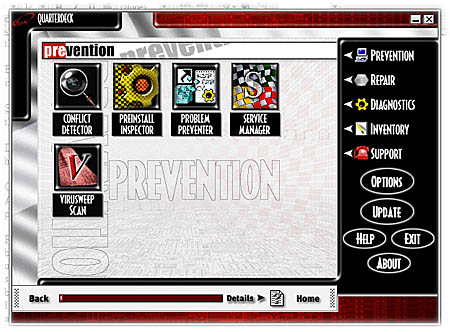
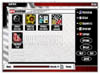 Prevention Prevention
Conflict Detector–searches your hard drive for incompatibilities between hardware,
applications and Windows 95. It scans the system for incomplete software installations, missing files and configuration
problems and can automatically fix them or aid you in manual fixes. You can set the frequency that determines when
your system is checked.
Preinstall Inspector–seeks out and then corrects potential conflicts before the application is installed, thus
preventing conflicts.
Problem Preventer–examines Windows 95 environment for unresolved shortcuts, Registry integrity, and the completeness
of System configuration files. You can set the frequency that determines when the manager checks system.
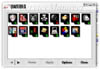 Service Manager–provides centralized control
of all RealHelp tools that run in the background of your computer.
This is where you customize the features of the five Service Modules.
It also includes: Service Manager–provides centralized control
of all RealHelp tools that run in the background of your computer.
This is where you customize the features of the five Service Modules.
It also includes:
- Crash Defender--starts a crash protection feature so that you can save your data
if an application causes a fatal error; can "unfreeze" an application that appears to be locked up.
- Disk Fix–periodically scans your hard disk and notifies you when it detects a
problem. Can set the frequency of scan.
- Backup–launches Microsoft's backup utility and automatically backs up your hard
disk at regular intervals.
- S.M.A.R.T. Disk–monitors your S.M.A.R.T. hard disk (if installed) and detects
problems before they occur.
- Disk Optimizer–monitors your hard disk and defragments the disk. You can set
how often your hard disk is scanned and what defragmentation percentage you require before the process begins.
VirusSweep Scan–monitors your file system and memory for viruses. You can set
options on frequency of scans, which system components are scanned, whether a log of detected viruses is created,
and what actions are taken. Infected files can be repaired, even compressed files.
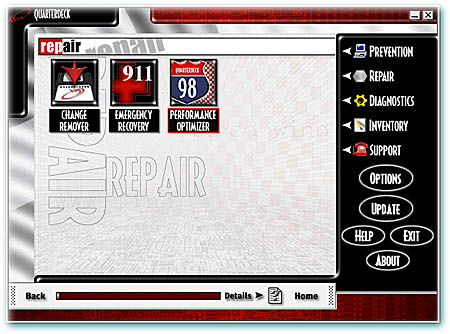
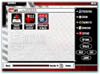 Repair Repair
Change Remover/Change Remover–Whenever you install software or when you modify
configuration settings, Change Capture records the changes and backs up deleted or overwritten files. Change Remover
then allows you to edit the change record created by Change Capture. You can remove changes that cause problems
and restore your system to its previous configuration.
Emergency Recovery–performs periodic background validation checks and records information it needs to ensure that
your system can fully recover from a critical situation and creates a bootable recovery disk.
Performance Optimizer–checks your Windows usage and optimizes its performance. Components that are monitored are
file system, graphics, and virtual memory. Can set the frequency of checks. You can request an immediate performance
check or fix problems if results indicate unsatisfactory performance.
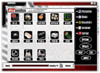 Diagnostics Diagnostics
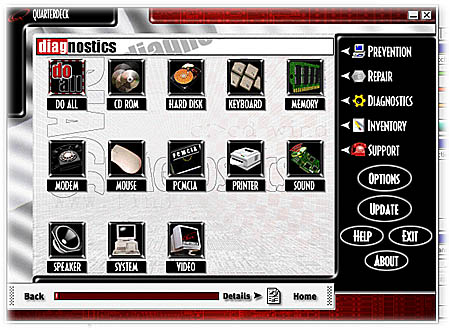
You can set RealHelp to monitor all hardware features or one or more of the following:
CD Rom, Hard Disk, Keyboard, Memory, Modem, Mouse, PCMCIA, Printer, Sound, Speaker, System, Video.
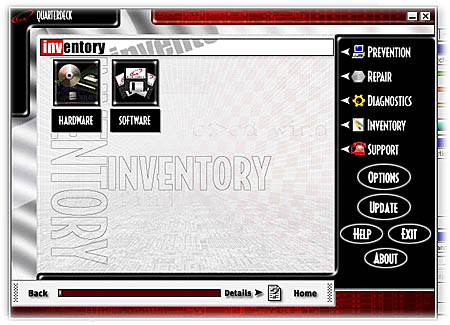
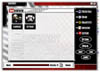 Inventory Inventory
Software–RealHelp uses its Applications Knowledge-Base to inventory all the applications
installed on your PC. You can modify the application version numbers and locations and add and remove applications.
Hardware–provides a list of all your currently installed hardware devices.
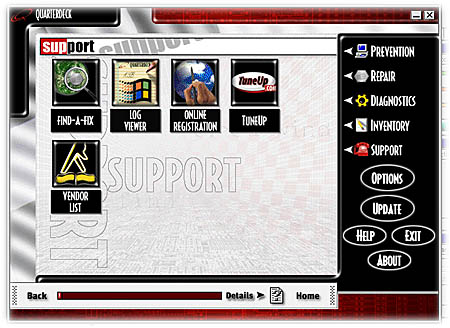
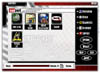 Support Support
Find-a-Fix–provides a number of solutions to your PC problems. It allows you to
customize your query; searches the Internet in addition to filtering its own solutions database; launches your
Web browser to view solution documents; and allows you to choose the best solution for your problem.
Log Viewer–creates a detailed list of your RealHelp activities which you can view on-screen or print.
Online Registration–allows you to registration online.
TuneUp–monitors your installed hardware drivers and applications and compares them against the latest available
releases. If you want to install an update, TuneUp can download the files and guide you through the installation
process.
Vendor List–a database of nearly two thousand software and hardware manufacturers and suppliers with telephone
and fax numbers, E-mail addresses, URLs, and BBS numbers.
Comments
At this point, the reader is probably thinking: so with all of these bells and whistles, how did the program work,
was it useful, and was it user friendly.
RealHelp is a first generation product, released in November 1997 and is quite sophisticated for a beginner on
the scene. The installation was efficient and fast.
The interface was generally easy to use, very graphic oriented, with sliding windows and textured menus. For me,
though, the interface was somewhat too high-tech, but I have talked to other users who loved it. I prefer traditional
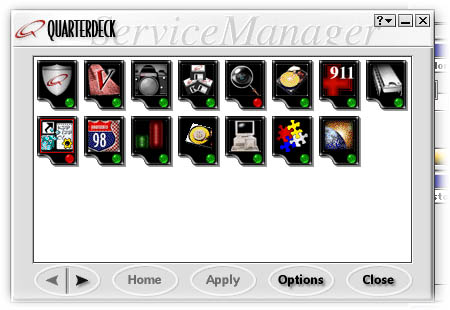
buttons, fully labeled. For instance, in RealHelp's Service Manager, there are 15 icons, not labeled, for the configurable
service modules. I would forget what each symbol represented and thus had to click on several before I identified
the correct module. There are colored coded lights and bug icons, and it becomes confusing when a red light means
there is a problem in one program, while in another it indicates everything is fine. If other users are similar
to me, they turn to a utility program such as RealHelp because they have ignored a problem with their computer
until their frustration level has reached the dangerous zone. The last thing, I, or this type of user wants is
a cutesy or high-tech interface. Aside from this very subjective criticism of minor points, the interface is clean,
user friendly, and easy to learn.
The 198 page user guide was fairly well organized and easy to read. Certain features were explained in more than
one area and this became somewhat confusing to me. Graphical demonstrations were plentiful.
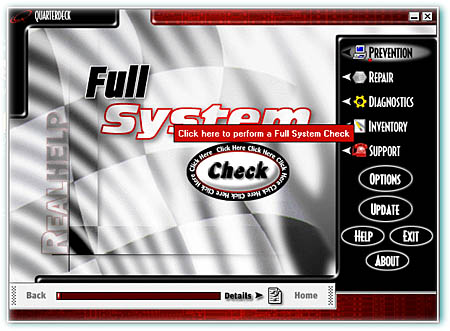
RealHelp recommends that you start a Full System Check using the default list of components after you first install
the software. With just one click I initiated this full check, which was fast. Testing the CD-ROM required the
most time. The user guide has a very efficient flowchart to refer to for fixing problems detected by the Full System
Check. I used the chart for some minor glitches. I then proceeded to use RealHelp's other features to test my machine.
I tested every application and component that I could, optimized my disk, defragmented my hard drive, checked the
log for a list of my hardware and software, made an emergency disk, performed a virus scan, checked for unresolved
shortcuts, registry problems, and configuration troubles. In other words, I had fun. Since I have a new Pentium,
I didn't have that many applications or components that needed adjusting. I was almost sorry I didn't have more
problems to solve.
I did have some unresolved shortcuts, erroneous registry entries, and application conflicts, though. The user guide
suggested to manually fix these problems if they could not be automatically fixed or delete the items. I tend to
be a heavy delete user and after erasing several items, exiting RealHelp, and trying to connect to my Web server,
I discovered that I was denied access because of a lost file. I ran RealHelp and it gave me all the information
I need to find and install the file.
Would I recommend this program? Yes. While some improvements could be made, RealHelp's underlying technology is
solid. It performed admirably and has more extras than most of the comparable programs. It found and automatically
fixed some problems I was not even aware of. It is user friendly and fun!
System Requirements
Processor: Intel 486 DX or higher (Pentium recommended)
Operating System: Windows 95
Memory: 16MB
Hard Disk Space: 35MB (60MB required for install)
Hardware: 256 color VGA or higher monitor
CD-ROM drive
Internet access required for Updates
Technical Support
As for all Quarterdeck products, technical support is abundant, There is the Quarterdeck web site, http://www.quarterdeck.com, an automated, toll-free
information system, a fax technical bulletin and product information system, the Quarterdeck BBS, FTP site or live
technical support specialists.
Price
RealHelp Regular Strength $39.95
RealHelp Extra Strength $59.95
|