|

Cute
FTP v4.2 for Windows
Cute
FTP is a stand alone FTP
client,
and is compatible with all versions of Microsoft Windows. Helvetica, sans-serif"
size="2">Basic
Configuration:
You
can use the following set of instructions to configure CuteFTP
for
use with Sonic.net. You will need to have already activated
your
web directory here at Sonic.net before trying to upload files
to
it. To activate your web directory, please visit our server
directory
management tool at https://members.sonic.net/account/server_dirs/
and click on the create button to the right of Web.
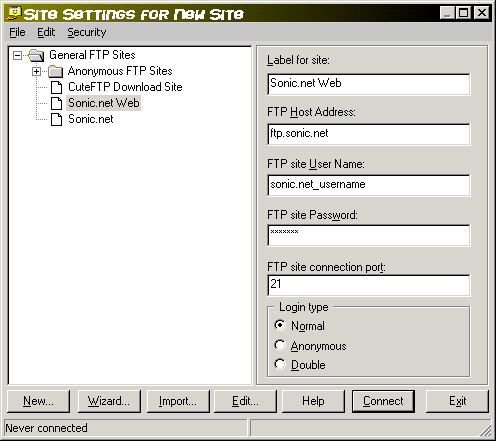
1.
Fill in the blank fields with the information you see in the
picture
above. Type in your Sonc.net username in lowercase characters
the
FTP site User Name field. Type your Sonic.net password
in
the FTP site Password field. Now click on the
Edit
button.>
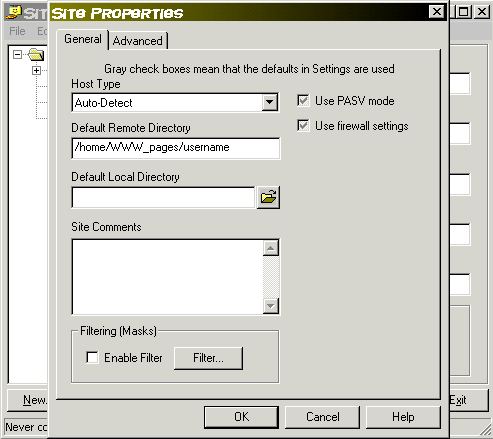
2.
Type /home/WWW_pages/username [replace username
with
your Sonic.net username]. Click OK. On the next screen,
click
Connect.
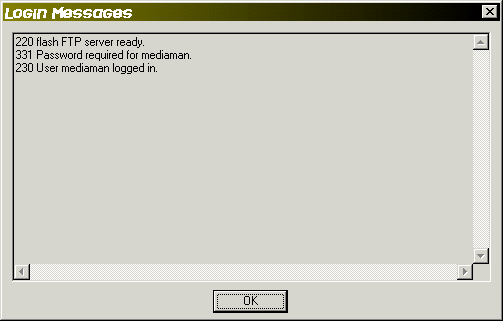
3.
Click OK when this window pops up.
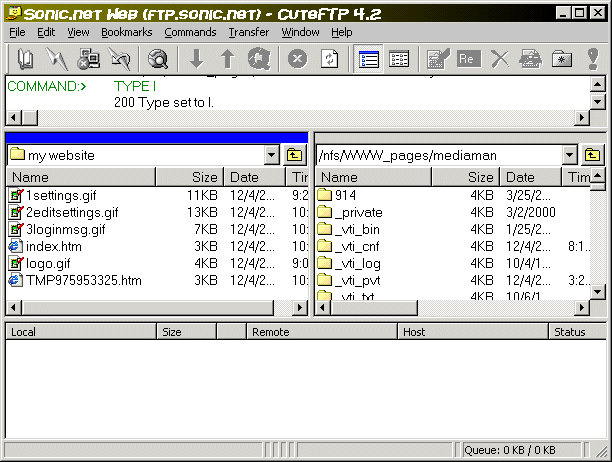
4.
The left window shows the files in your local folders. The the
right
window shows files in your web directory here at Sonic.net.
Please
refer to the Help menu to learn how to use
CuteFTP.
|