Dial-Up Networking setup and configuration for Windows ME
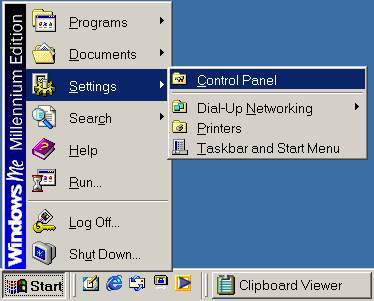
- To edit the properties of an existing Dial-Up Networking connection in
Windows ME, first click on the Start button, to Settings,
and select Control Panel.
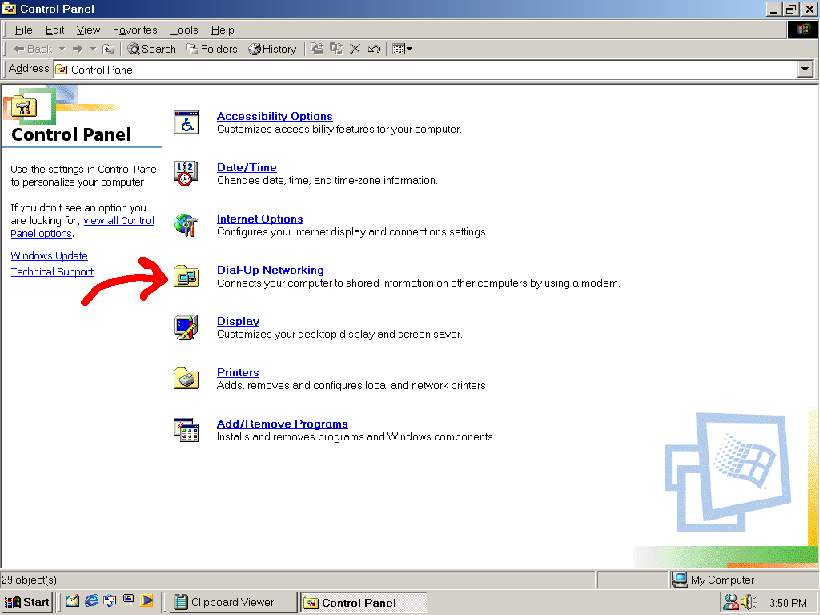
- Click on the Dial Up Networking link.
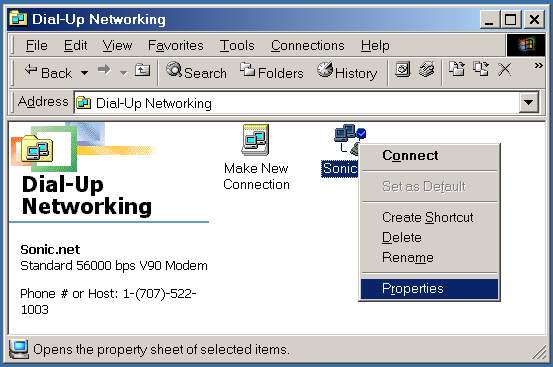
- With the right hand mouse button, click on the existing Dial Up
Networking connection. Select Properties...
- On the General tabbed page, uncheck Use area code and Dialing
Properties checkbox,
and ensure that the correct modem is listed in the Connect using box.
You can find a local dial up number Here
Note: The modem Configure button will be covered in the Options page.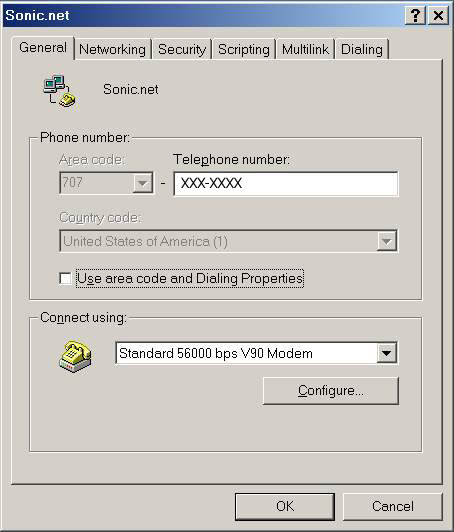
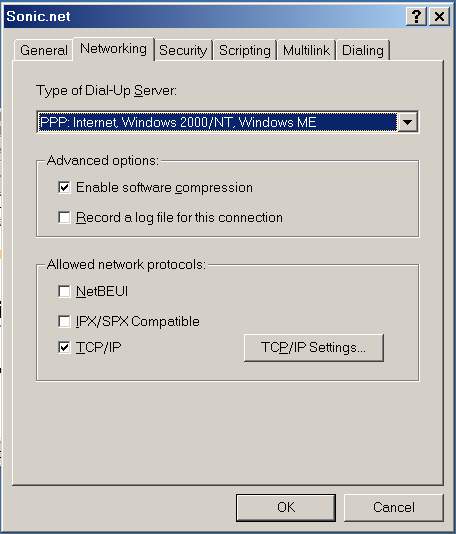
- On the Networking tabbed page, only TCP/IP needs to be
checked for Allowed Network Protocols: click on the TCP/IP
Settings button.
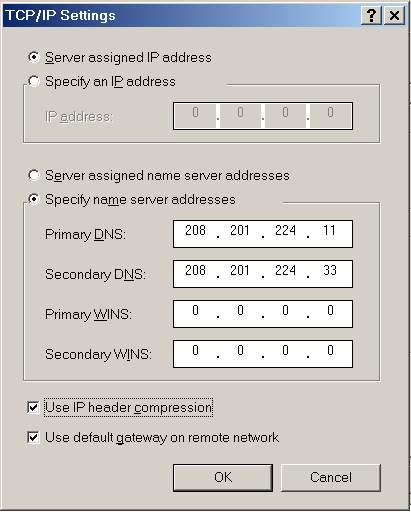
- Select Specify Name Server Addresses for Primary DNS:
enter 208.201.224.11 and for Secondary DNS: enter
208.201.224.33
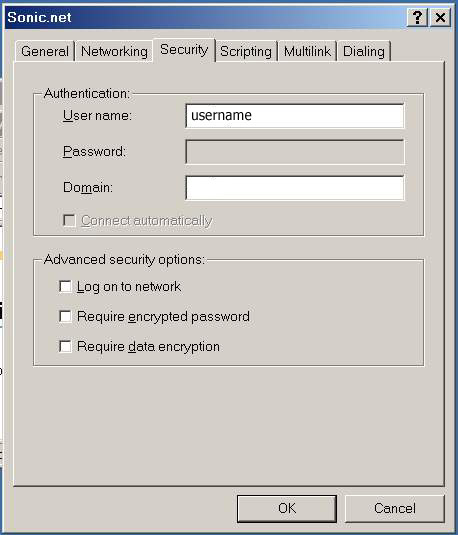
- On the Security tabbed page,enter your Sonic.net Username
and leave all Advanced Security Options: Un-checked
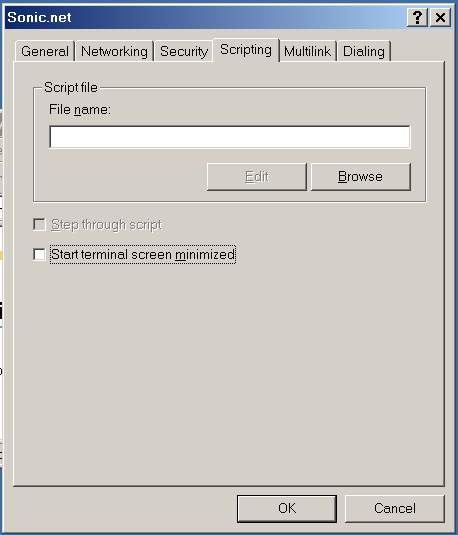
- On the Scripting tabbed page, the Start terminal screen
minimized checkbox is checked by default.
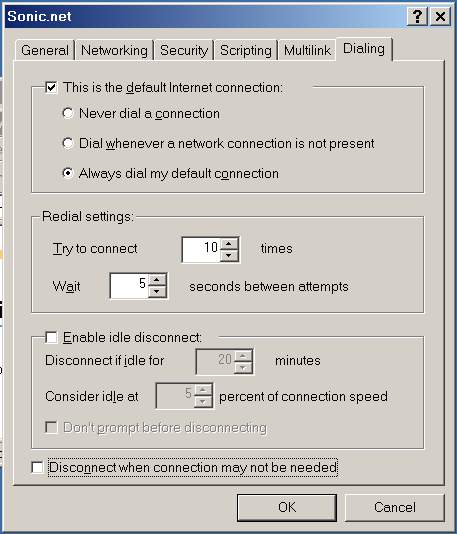
- On the Dialing tabbed page, Un-check Enable idle
disconnect, and Disconnect when connection may not be needed
Note: If you are on a DSL line, select Never Dial A Connection.