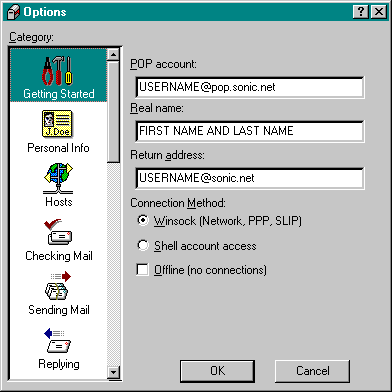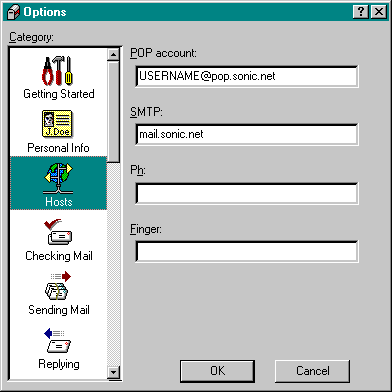
Eudora 3.06 Configuration
1. If you don't have Eudora on your computer yet, you'll first need to download and install it.
2. If you have an older verion of Eudora which you need to configure, please view Sonic's screenshots for the information that you'll need for your software.
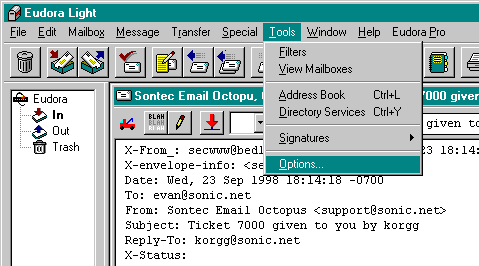
3. If you have a working copy of Eudora 3.06 already installed on your system, then you will need to configure it before it will work properly. To configure Eudora, click on the Tools drag down menu, and select Options from the bottom of the list.
4. You will need to set up the Getting Started and Hosts sectons to make Eudora work correctly.